
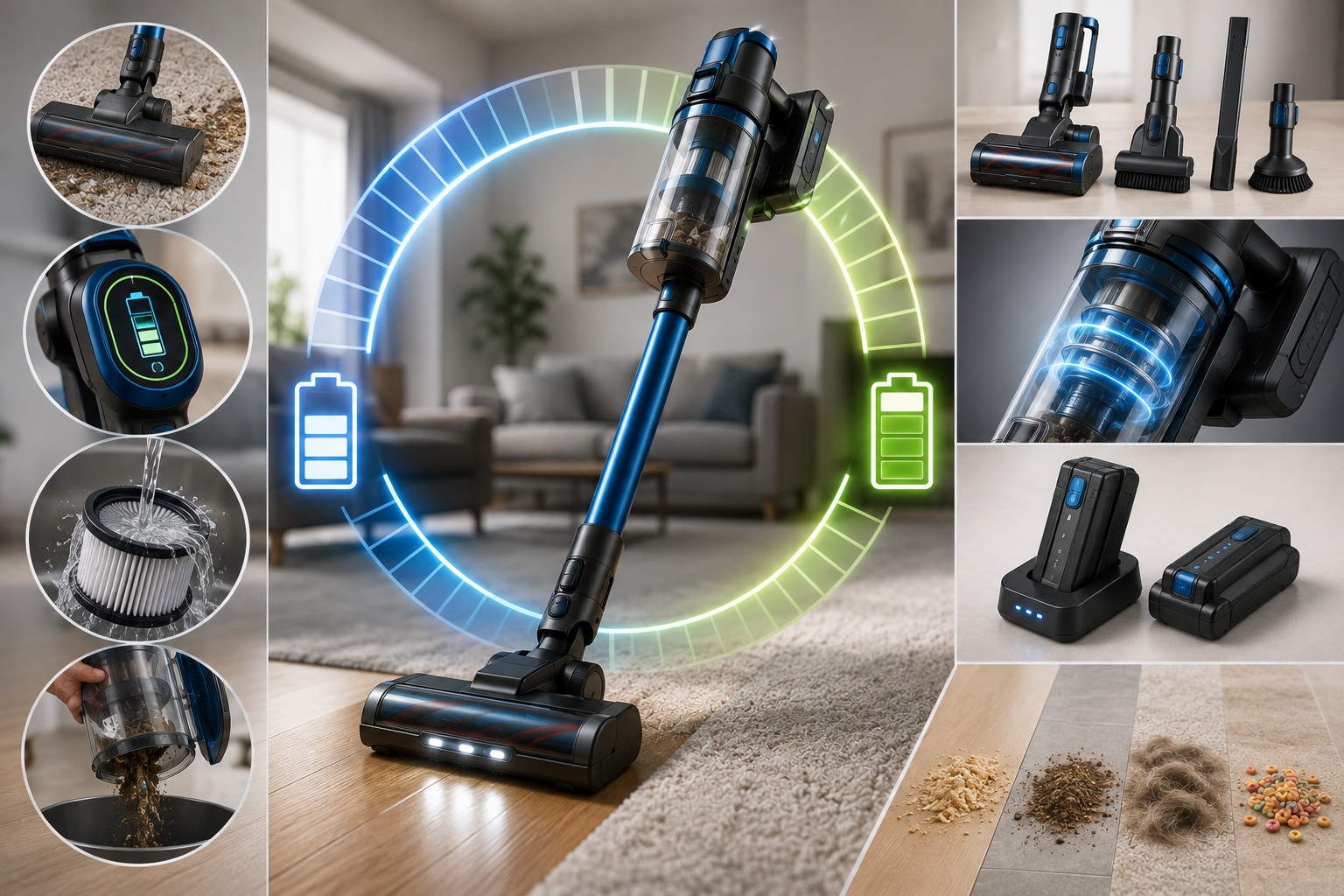
Cordless Vacuum Runtime: What the Numbers Really Mean
Cordless vacuum runtime is one of the first specifications shoppers examine when comparing battery-powered vacuum cleaners. After all, nobody wants the battery to run out before the cleaning job is finished.
However, an advertised runtime of 40, 50, or even 60 minutes does not necessarily mean the vacuum will operate that long under every condition. In many cases, the maximum runtime is achieved using a lower power setting and under specific testing conditions.
Real-world battery life can change based on the selected power mode, flooring type, attachment, battery capacity, filter condition, temperature, and age of the battery. Therefore, understanding how these factors work together can help you choose the right cordless vacuum for your home or business.
You can browse cordless stick vacuums at The Vacuum Factory or explore our complete collection of residential and commercial vacuum cleaners.
What Does Advertised Cordless Vacuum Runtime Mean?
When a manufacturer states that a cordless vacuum provides “up to 50 minutes” of cleaning time, the words up to are important.
The advertised number represents the maximum operating time available under specific conditions. Depending on the vacuum, those conditions may include:
- A low or Eco power setting
- A fully charged battery
- Limited use of high-powered attachments
- Clean filters and unrestricted airflow
- Specific flooring conditions
- Normal indoor operating temperatures
For example, Dyson explains that actual cordless vacuum runtime can vary based on power mode, dust level, floor type, and attachments. Therefore, shoppers should treat the maximum runtime as a comparison point rather than a guarantee of identical performance in every home.
How Power Modes Affect Cordless Vacuum Battery Life
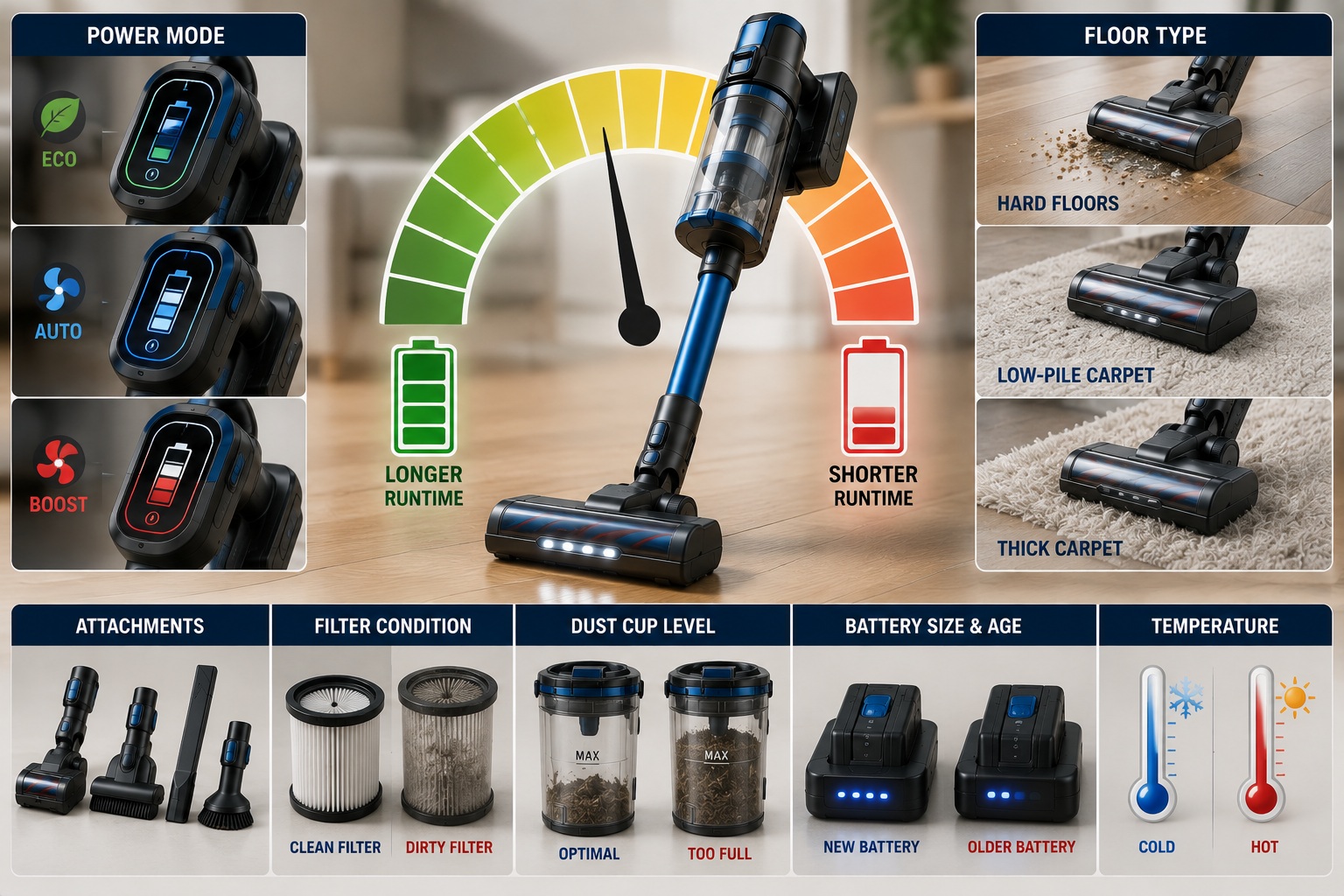 Many cordless vacuums include two or more power levels. Each setting creates a different balance between suction performance and battery life.
Eco Mode for Longer Cordless Vacuum Runtime
Eco or low-power mode typically provides the longest available runtime. It may work well for:
- Light dust on hard floors
- Quick daily maintenance
- Cleaning curtains and delicate surfaces
- Collecting crumbs and loose debris
- Extending cleaning time across several rooms
However, low mode may not provide enough airflow or agitation for deeply embedded carpet debris, heavy pet hair, or concentrated messes.
Standard and Auto Modes Balance Runtime and Power
Standard mode generally provides a middle ground between battery life and cleaning performance. For many households, this will be the setting used most often.
Some cordless vacuums also include automatic power adjustment. These machines may increase power when they detect carpet or heavier debris and reduce it when less suction is required.
Dyson, for example, describes its Auto and Medium modes as balancing power and runtime, while Eco mode is intended for longer cleaning sessions.
Boost Mode Can Reduce Cordless Vacuum Runtime
Maximum or Boost mode provides stronger suction for difficult cleaning tasks. It may be helpful for:
- Embedded pet hair
- Thicker carpet
- Vehicle interiors
- Upholstery
- Concentrated piles of dirt
- Stubborn debris around baseboards and corners
However, higher power places greater demand on the battery. Consequently, Boost mode is usually best reserved for difficult areas instead of being used throughout an entire home.
Powered Floor Nozzles Can Shorten Battery Runtime
A cordless vacuum does not use battery power only to produce suction. When the machine includes a motorized floor nozzle, the battery must also supply energy to the brush-roll motor.
This additional motor helps agitate carpet fibers and lift debris. Nevertheless, it also contributes to overall power consumption.
Battery use may increase further when the nozzle includes:
- Multiple rotating brush rolls
- Automatic surface detection
- LED headlights
- Anti-tangle technology
- Dirt-detection sensors
- A high-torque carpet brush
As a result, the same cordless vacuum may provide different cleaning times depending on which attachment is being used.
How Flooring Affects Cordless Vacuum Runtime
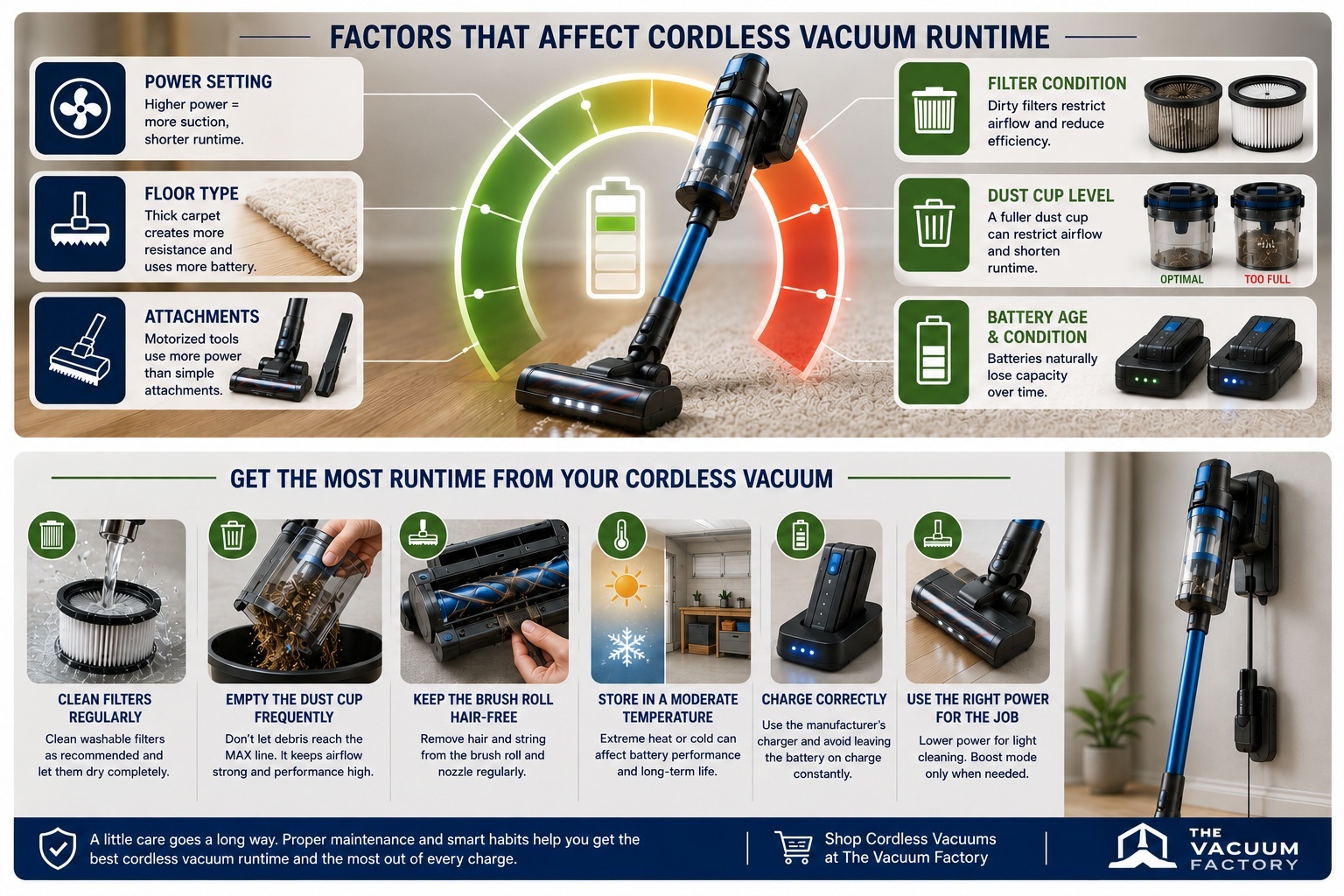 Your flooring can have a significant effect on actual battery performance.
Hard Floors May Extend Vacuum Battery Life
Hardwood, tile, laminate, and vinyl generally create less resistance against a motorized brush roll than thick carpet.
Additionally, light debris on hard flooring can often be collected effectively without using the vacuum’s highest power setting. Therefore, many users may experience longer cleaning sessions on hard surfaces.
Carpet Can Reduce Cordless Vacuum Cleaning Time
Carpet creates additional resistance against the brush roll. Furthermore, embedded debris may require stronger suction or additional cleaning passes.
Low-pile carpet may create only moderate resistance. However, plush or thick carpet can place more demand on the nozzle and battery.
Therefore, homes with extensive carpeting should consider both advertised runtime and carpet-cleaning performance before selecting a cordless vacuum.
Battery Capacity and Cordless Vacuum Runtime
Cordless vacuum specifications frequently include voltage and amp-hour ratings. Although these figures relate to battery performance, they describe different characteristics.
Voltage relates to the electrical potential supplied by the battery system. Meanwhile, amp-hours describe how much electrical charge the battery can store.
A higher-voltage battery does not automatically guarantee longer runtime. The vacuum motor, electronics, power setting, nozzle design, and overall efficiency determine how quickly stored energy is consumed.
Likewise, a larger-capacity battery may support longer operation, but it can also add weight and potentially require additional charging time.
For a basic explanation of how rechargeable batteries store and release energy, visit the U.S. Department of Energy’s battery overview.
Removable Batteries Can Extend Cordless Cleaning Time
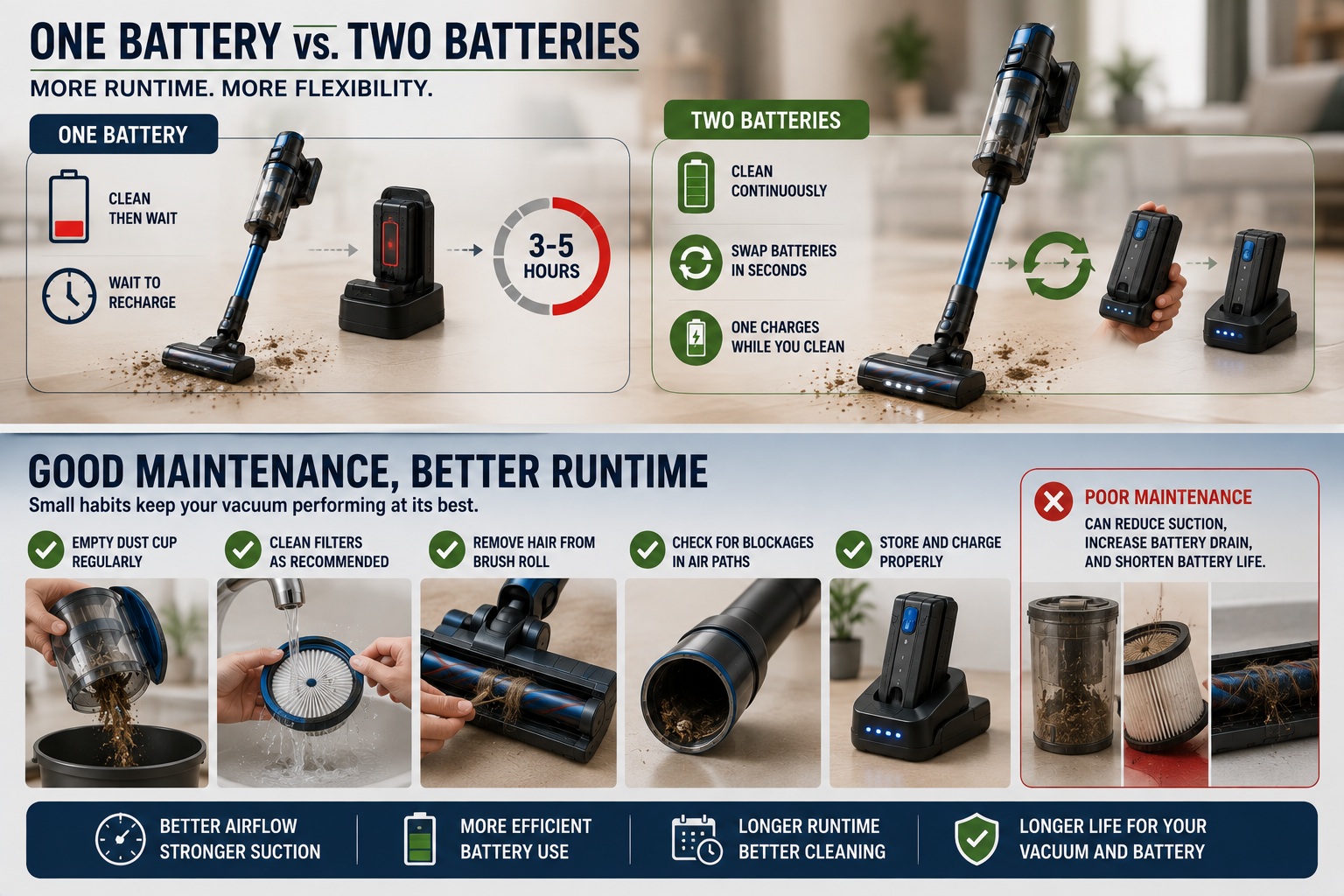 Some cordless vacuums include a removable battery. Others may include two batteries or offer an additional battery as an optional accessory.
A removable battery system can provide several advantages:
- A discharged battery can be exchanged for a charged one
- Cleaning can continue without waiting for a full recharge
- An aging battery may be replaced without replacing the entire vacuum
- Additional batteries can support larger homes or commercial cleaning
- One battery can charge while another is being used
When comparing cordless models, determine whether the advertised runtime applies to one battery or represents the combined use of multiple batteries.
Can Cordless Vacuum Runtime Really Reach 40 to 60 Minutes?
Yes. Some cordless vacuums can provide 40 minutes or more of operation under the conditions specified by the manufacturer.
For example, Dyson currently advertises up to 60 minutes of runtime on several cordless models, including the Dyson V11 cordless vacuum. Dyson also notes that the machine offers Eco, Medium, and Boost cleaning modes.
However, shoppers should not compare vacuums by runtime alone. A cordless stick vacuum, lightweight upright, handheld vacuum, and cordless backpack can have very different:
- Cleaning performance
- Dirt capacity
- Weight
- Floor nozzles
- Filtration
- Battery design
- Intended applications
In other words, a 60-minute machine is not automatically better than a 40-minute machine.
Charging Time Matters When Comparing Cordless Vacuums
Runtime tells you how long the vacuum may operate. Charging time tells you how long you may need to wait before using it again.
Depending on the battery and charger, a complete recharge can take substantially longer than the available cleaning time. Therefore, shoppers should compare both figures.
Before purchasing, consider:
- How long does a complete charge require?
- Can the battery be charged separately?
- Does the vacuum include a rapid charger?
- Can a second battery charge while another is being used?
- Is the charging base included?
- Does the vacuum show remaining battery life?
A vacuum with moderate runtime and an easily swappable battery may ultimately provide more usable cleaning time than a machine with a larger advertised number but a permanently installed battery.
Clean Filters Help Maintain Cordless Vacuum Performance
A clogged filter restricts airflow. As airflow becomes restricted, cleaning performance can decline. The user may then compensate by selecting a higher power setting or making additional passes over the floor.
To help maintain efficient cleaning:
- Empty the dust cup before debris reaches the maximum-fill line
- Clean washable filters according to manufacturer instructions
- Allow washable filters to dry completely before reinstalling them
- Replace non-washable filters when required
- Remove wrapped hair from the brush roll
- Inspect the nozzle, wand, and airflow passages for blockages
- Use replacement filters designed for your specific model
Some cordless vacuums even provide filter and blockage alerts. Dyson’s cordless, for example, includes filter-cleaning reminders and airflow blockage warnings.
The Vacuum Factory also carries a broad selection of vacuum filters and replacement filtration products.
A Full Dust Cup Can Affect Cordless Vacuum Efficiency
A cordless vacuum’s dirt container should not be packed beyond its marked fill line. An overfilled bin can interfere with airflow and allow debris to accumulate around filters and internal screens.
Pet hair can be especially deceptive because it may fill a dust cup quickly. Therefore, empty the container regularly and inspect internal screens or shrouds for wrapped hair.
Keeping the airflow path clear allows the vacuum to make better use of the battery time available.
Cordless Vacuum Battery Life Changes Over Time
Lithium-ion batteries gradually lose capacity through normal use and aging. Therefore, a cordless vacuum may eventually provide less runtime per charge than it did when it was new.
The U.S. Department of Energy notes that repeated charging and discharging gradually changes lithium-ion battery materials, ultimately reducing the amount of energy a battery can store and deliver. Learn more about lithium-ion battery aging from the Department of Energy.
Battery longevity can be influenced by:
- Charging cycles
- Operating temperature
- Storage conditions
- Battery design
- Charging technology
- Frequency and intensity of use
Models with removable batteries can be especially convenient because the battery may be replaced separately when it eventually reaches the end of its useful service life.
How Much Cordless Vacuum Runtime Do You Need?
The best runtime depends on the size of the cleaning area and how you plan to use the vacuum.
Cordless Runtime for Apartments and Quick Cleaning
A shorter runtime may be completely adequate when the vacuum is primarily used for crumbs, kitchen floors, stairs, rugs, vehicles, or spot cleaning.
Cordless Vacuum Runtime for Average Homes
A moderate-runtime model may handle everyday home cleaning effectively, particularly when the user relies primarily on standard power and reserves Boost mode for difficult areas.
Battery Runtime for Large Homes
Larger homes may benefit from:
- A longer-running battery
- Two removable batteries
- A rapid charging system
- A larger dirt container
- A corded vacuum for extended deep cleaning
- A cordless vacuum used for daily maintenance
Cordless Runtime for Commercial Cleaning
Commercial users should consider more than maximum runtime. Businesses should also evaluate durability, dirt capacity, charging speed, battery interchangeability, ergonomics, filtration, noise level, and replacement-battery availability.
For professional applications, explore the cordless backpack vacuums available from The Vacuum Factory.
Is Cordless Vacuum Runtime Enough for Whole-Home Cleaning?
A cordless vacuum may replace a corded machine for some households. However, it may work better as a secondary vacuum in others.
A cordless model can be a practical primary machine when:
- The home is relatively small
- Most flooring is hard surface or low-pile carpet
- Cleaning sessions are short and frequent
- The battery is removable or a spare is available
- The machine provides sufficient carpet agitation and dirt capacity
A corded vacuum may remain the better primary machine when:
- The home is very large
- Most rooms have thick carpet
- Several pets create substantial amounts of hair
- Cleaning sessions regularly exceed available battery time
- Continuous full power is more important than cordless convenience
Many households ultimately use both: a full-size corded vacuum for deeper cleaning and a cordless stick vacuum for fast everyday cleanup.
Questions to Ask About Cordless Vacuum Runtime Before Buying
- Is the advertised runtime measured in Eco, standard, or maximum mode?
- Does the published time include use of a powered floor nozzle?
- How long does the battery take to recharge?
- Is the battery removable?
- Can a second battery be purchased?
- How much does a replacement battery cost?
- Does the vacuum display remaining battery life?
- How does carpet affect expected cleaning time?
- Are the filters washable or replaceable?
- Is the vacuum designed for quick cleanup or complete home cleaning?
These questions provide a much better picture of actual usability than simply buying the vacuum with the largest advertised runtime number.
Cordless Vacuum Runtime: The Bottom Line
Cordless vacuum runtime matters, but it should never be the only specification you consider.
Power mode, flooring, motorized attachments, filter condition, battery capacity, charging time, and battery age can all influence how long the machine cleans in real-world use.
Therefore, a cordless vacuum with a removable battery, effective floor nozzle, practical charging system, readily available filters, and suitable dirt capacity may provide greater long-term value than a machine with a larger advertised runtime but fewer useful features.
Shop cordless stick vacuums at The Vacuum Factory, or explore our selection of upright, canister, backpack, commercial, wet/dry, and specialty vacuums.
For help finding a cordless vacuum that matches your flooring, cleaning area, and runtime needs, contact The Vacuum Factory at 877-822-7868.